




Essential Tips for GPU Repair, Maintenance, and Troubleshooting
Key Takeaways
- GPUs are the operational lifeline of a grounded aircraft – powering avionics, cabin systems, and pre-flight checks – making regular maintenance essential to prevent costly delays, unexpected failures, and safety risks during ground operations.
- A consistent GPU maintenance routine should include visual inspections for wear and leaks, output testing and calibration, cooling system checks, electrical system integrity checks, and lubrication of moving parts – catching minor issues before they become major failures.
- Battery-powered GPUs require dedicated attention to charge levels, terminal condition, and signs of swelling or corrosion, while diesel-powered units demand regular fuel filter changes, fuel line inspections, and fuel quality checks to ensure reliable engine performance.
- The most common GPU problems – including no power output, overheating, erratic voltage, and battery issues – can often be diagnosed and resolved through systematic checks of the cooling system, voltage regulator, alternator, and electrical connections.
- Modern GPUs with onboard software and diagnostics should be kept up to date with manufacturer firmware releases, as software glitches can cause operational issues that aren't visible during a standard visual inspection.
- Pilot John International offers a wide selection of new and used GPUs along with expert maintenance and repair services at its state-of-the-art service center, with aviation specialists available to help operators keep their GPU fleet running reliably.
In the aviation industry, ground power units (GPUs) play a critical role in keeping aircraft systems operational during ground operations. Whether powering avionics, lighting, or environmental controls, GPUs are indispensable for keeping aircraft systems running smoothly when the main engines are off.
However, like any piece of machinery, GPUs require regular maintenance to perform reliably and efficiently. In this post, we'll explore the importance of GPU maintenance, offer essential tips for keeping your GPU in top condition, and provide guidance on troubleshooting common issues. Ensuring optimal GPU performance is not just about extending its lifespan but also about ensuring the safety and efficiency of ground operations.
Why Is It Important to Properly Maintain Aircraft Ground Power Units?
Ground power units are the lifeline for an aircraft on the ground, providing essential power for pre-flight checks, cabin systems, and other critical functions. A malfunctioning GPU can lead to costly delays, disrupt operations, and compromise safety. Regular maintenance is crucial to prevent unexpected failures and ensure that the GPU operates at peak efficiency.
Proper maintenance also helps in identifying potential issues before they become serious problems, reducing the risk of downtime and expensive repairs. By adhering to a regular maintenance schedule, operators can maximize GPU reliability, ensuring aircraft are always ready for departure.
What Are Some Essential Tips for GPU Maintenance?
1. Regular Visual Inspections
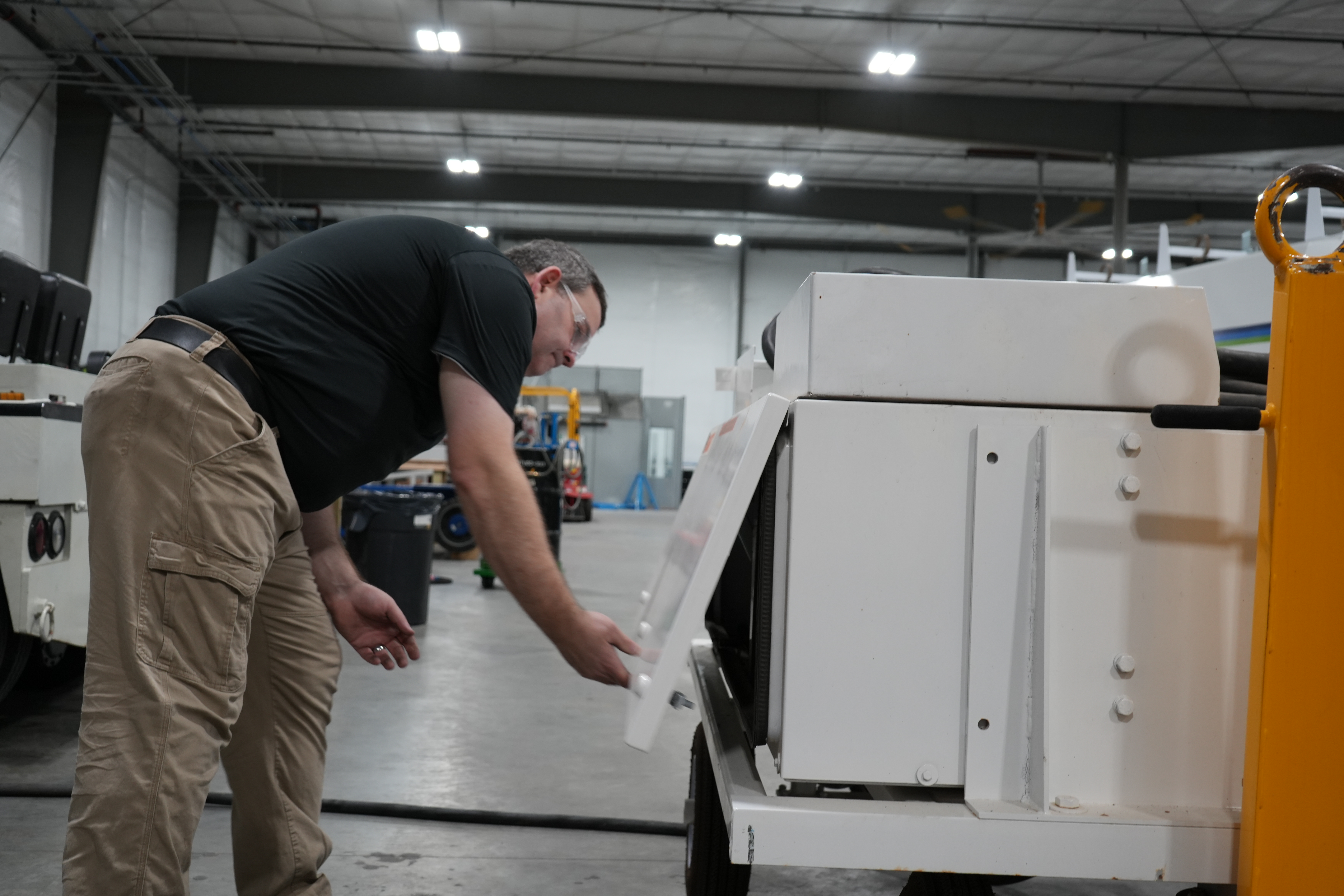
One of the simplest yet most effective maintenance practices is performing regular visual inspections of your GPU. During these inspections, check for any visible signs of wear, damage, or leaks. Pay close attention to the condition of cables, connectors, and housing. Look for loose or corroded connections, frayed wires, and any signs of fluid leakage. Catching these issues early can prevent more severe problems down the line.
2. Routine Testing and Calibration
To ensure your GPU is delivering the correct voltage and frequency, regular testing and calibration are essential. Over time, components can drift out of specification, leading to incorrect power delivery that could damage sensitive aircraft systems. Use the manufacturer's guidelines to test the output and make any necessary adjustments to keep your GPU operating within the required parameters.
3. Cooling System Maintenance
The cooling system in a GPU is vital for preventing overheating, which can cause significant damage to internal components. Regularly check the cooling fans, radiators, and fluid levels if applicable. Clean the cooling fins of any dust or debris, and ensure the airflow is not obstructed. If your GPU uses liquid cooling, ensure that you replace the coolant as recommended by the manufacturer and inspect the system for leaks.
4. Battery Care and Maintenance
For battery-powered GPUs, maintaining these power sources is crucial. Regularly check the battery's charge level and overall condition. Look for signs of swelling, leakage, or corrosion around the terminals. Ensure that the batteries are charged according to the manufacturer's specifications and replace them when they no longer hold a charge effectively. Proper battery care can prevent unexpected power failures during critical ground operations.
5. Fuel System Maintenance (for Diesel GPUs)
For diesel-powered GPUs, maintaining the fuel system is essential. Regularly check the fuel filters, lines, and tank for any signs of contamination or damage. Replace fuel filters according to the maintenance schedule and ensure the fuel is clean and free of water or other contaminants. Proper fuel system maintenance helps prevent engine problems and ensures reliable performance.
6. Electrical System Checks

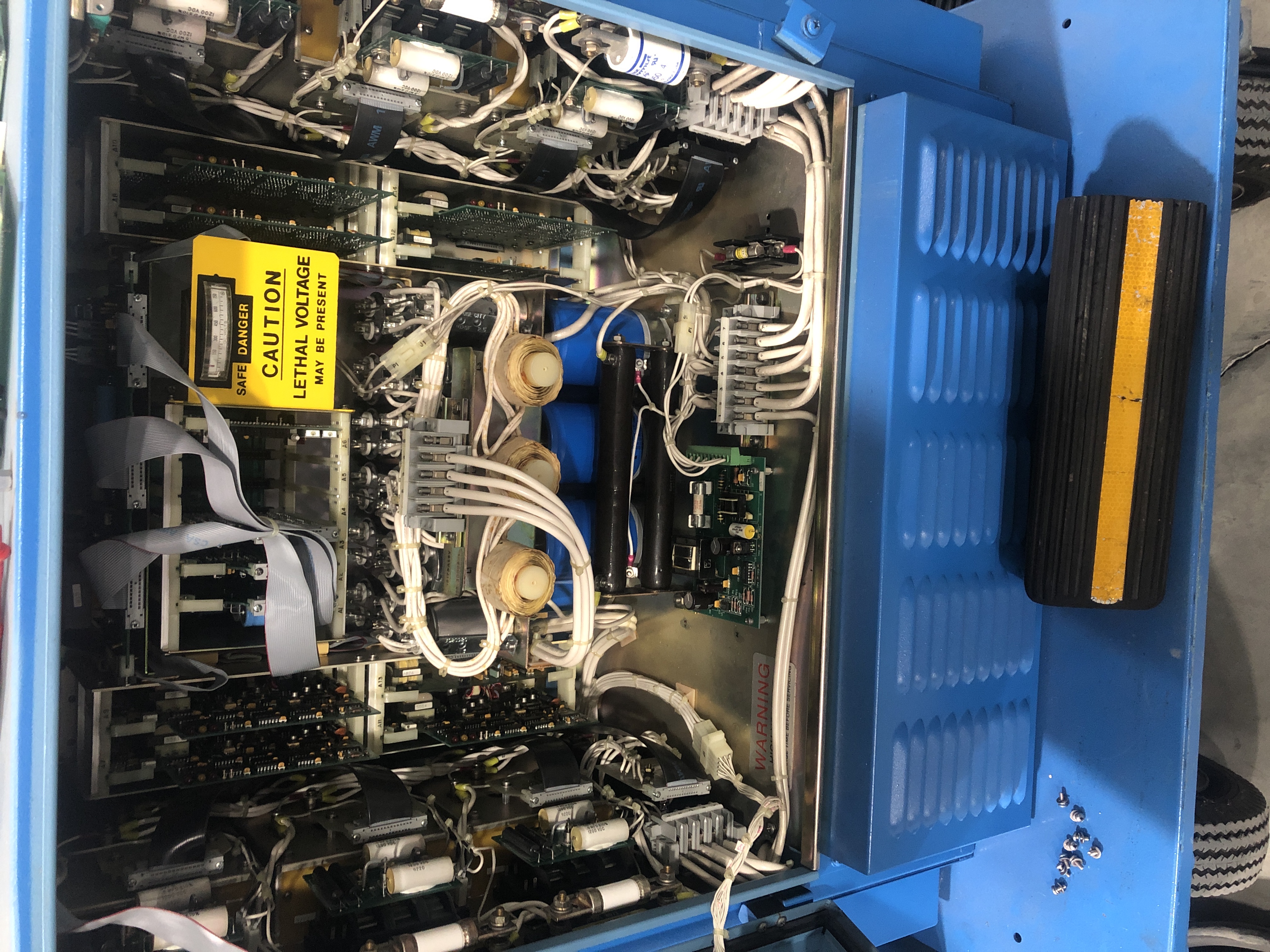
The electrical system is the heart of any GPU, and regular checks are necessary to ensure its reliability. Inspect the alternator, voltage regulator, and other electrical components for wear or damage. Check that all connections are secure and free from corrosion. Regular testing of the electrical system can help identify issues before they lead to a complete failure.
7. Lubrication of Moving Parts
Lubrication is key to reducing wear and tear on GPU moving parts. Regularly check the manufacturer's lubrication guidelines and ensure all moving parts are adequately lubricated. This includes bearings, joints, and any other components that move during operation. Proper lubrication reduces friction, extends the life of parts, and helps the GPU run smoothly.
8. Software Updates and Diagnostics
Modern GPUs often include advanced software systems that control various functions and provide diagnostic information. Regularly check for software updates from the manufacturer and ensure that your GPU's firmware is up to date. Running diagnostics can help identify issues that may not be visible during a visual inspection, allowing for proactive maintenance.
9. Proper Storage and Handling
How you store and handle your GPU when not in use can significantly impact its lifespan. Store the GPU in a clean, dry environment, protected from extreme temperatures and humidity. When moving the GPU, handle it with care to avoid damage to sensitive components. Proper storage and handling can prevent unnecessary wear and tear, keeping the GPU ready for use.
How Can I Troubleshoot Common GPU Issues?
Even with regular maintenance, issues can arise. Knowing how to troubleshoot common problems can save time and prevent more serious failures. Below are some common GPU issues and troubleshooting tips.
1. No Power Output
If your GPU fails to deliver power, start by checking the power source and ensuring that all connections are secure. Verify that the power switch is in the correct position and that any circuit breakers or fuses are not tripped. If the problem persists, check the alternator and voltage regulator for faults.
2. Overheating
Overheating is a common issue that can lead to significant damage if not addressed promptly. If your GPU is overheating, check the cooling system for blockages, clean the cooling fins, and ensure that the fans are operating correctly. If your GPU uses liquid cooling, inspect the coolant levels and look for leaks.
3. Erratic Power Output
Erratic power output can damage aircraft systems and is often caused by issues with the voltage regulator or alternator. Inspect these components for wear or damage, and then test the output using a multimeter. Ensure that all electrical connections are secure and free from corrosion.
4. Battery Issues
If your GPU's battery is not holding a charge or discharging rapidly, check its condition and charge level. Inspect for signs of corrosion or damage, and ensure the battery terminals are clean and secure. If the battery is old or damaged, it may need to be replaced.
5. Fuel System Problems (for Diesel GPUs)
In diesel-powered GPUs, fuel system issues can lead to poor performance or engine failure. If you experience problems, check the fuel filters and lines for blockages or leaks. Ensure that the fuel is clean and free from contaminants. If the engine is running rough or won't start, it may be necessary to bleed the fuel system to remove air.
6. Software and Firmware Issues
If your GPU is equipped with advanced software, glitches or bugs can cause operational issues. Ensure the software is up to date, then run diagnostics to identify any problems. If necessary, contact the manufacturer for support in resolving software-related issues.
The Bottom Line

Maintaining and troubleshooting your GPU is crucial for ensuring the smooth operation of aircraft during ground operations. Regular maintenance helps prevent costly failures and extends your GPU's lifespan, while knowing how to troubleshoot common issues can save time and money.
At Pilot John International® (PJi®), we understand the importance of reliable GPU performance. We offer a wide range of new and used GPUs to suit your specific needs, along with expert maintenance and repairs at our state-of-the-art service center. Our team of skilled technicians is dedicated to keeping your GPU fleet operating at peak performance.
By investing in proper GPU maintenance and partnering with a reliable provider like PJi, you can ensure the continuous availability and optimal performance of your ground power units. Contact us today by phone, email, or chat to learn more about how we can help keep your operations running smoothly.