






MyGoFlight MNT-1810 - iPad / Mobile Device Flex Suction Pro Mount


Need a Quote?
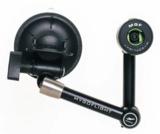
The MNT-1810 is a flex suction pro mount for pilot use in the aircraft to mount iPad, iPhone, Android, GPS, or any other mobile device.
Description
The MyGoFlight Flex Suction Pro is an infinitely articulating and adjustable arm with the ability to hold any iPad or device. The Mount utilizes one vacuum suction cup with a built-in finger pump that informs you if the mount is losing suction. Give it a couple of pumps and it is quickly back to full strength.
Device Holders Sold Separately
Features
- Aluminum and Stainless Steel Construction
- 360° Rotation of Device
- Infinitely Adjustable
- Vibration Minimized
- Heads Up Viewing
- Pilot Installable
- Certified Shock Tested Up to 20g
Specifications
Max Length: 12.25"
Min Length: 3.75"
Weight: 18.6 oz
| General Information | |
|---|---|
| Part # | MNT-1810 |
| Manufacturer | MyGoFlight |
| Shipping Information | |
|---|---|
| Product Weight | 1.4 lbs. |
| Product Dimensions | 8 x 7 x 4 in. |
| Schedule B | 7604291090 |
| ECCN | EAR99 |
Customers also viewed
Customers who bought this item also purchased
AIRCRAFT COMPATIBILITY
This item is for use on all aircraft.
PRODUCT REVIEWS
This item does not have any reviews yet.
QUESTIONS & ANSWERS
There are 2 options for removing after mounting depending on which type of seal you have.
For the clear silicone seal, pull up on the tab to release the mount.
For the black seal, there are two "buttons" on the edge of the seal. Push those both in towards the stem to release the unit.


